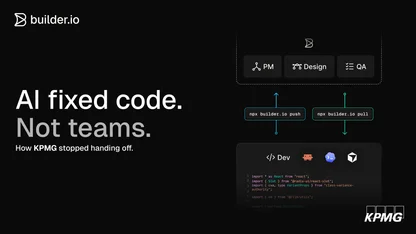
For designers, Fusion is the difference between handing off pixels and shipping polished experiences yourself. The Product Design team uses Fusion to implement visual improvements, create interactive prototypes, and maintain design system consistency without traditional engineering handoffs. This enables designers to achieve their exact vision while reducing iteration cycles and saving engineering time.
New feature implementation
Designers can implement entirely new features through natural language prompts. When users of our product wanted a way to go back and review their chat history, Tiana was able to implement a chat history tab that shows users their previous prompts with restore functionality. "That was a simple one that we did. We just prompted, 'add a new screen in this link to this block. The history tab should show a user's previous prompts, and it should have a restore to this point button.'" The feature required minimal developer cleanup afterward and was in production shortly thereafter.
User experience optimization
Product managers can investigate and fix customer-reported problems on their own. When a Builder enterprise customer reported a longstanding full-screen mode bug during a product feedback call, Adam used Fusion to reproduce the issue, identify the root cause, and implement the fix. "I was able to go into Fusion, open up a content entry, make it full screen, reproduce that issue, and then tell Fusion what I wanted it to do." The fix was quickly reviewed by an engineer and deployed and the customer was thrilled with the swift outcome.
Polishing UI
Product Design Lead, Tiana Rego, frequently ships "small and iterative" improvements that enhance user experience. Her work includes visual hierarchy adjustments, design system compliance fixes, and contextual copy improvements. For major changes, she starts with Figma and imports them into Fusion with the plugin, but for smaller updates: "If it's small stuff like copy or color updates, I go straight to Fusion. I chat, add as much context as possible, and send that PR."
Design system maintenance
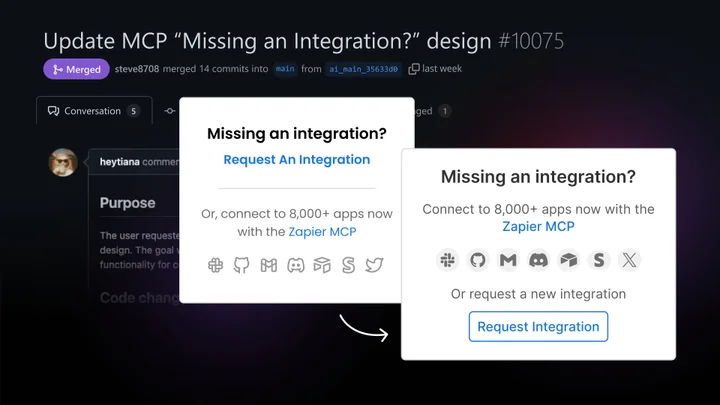
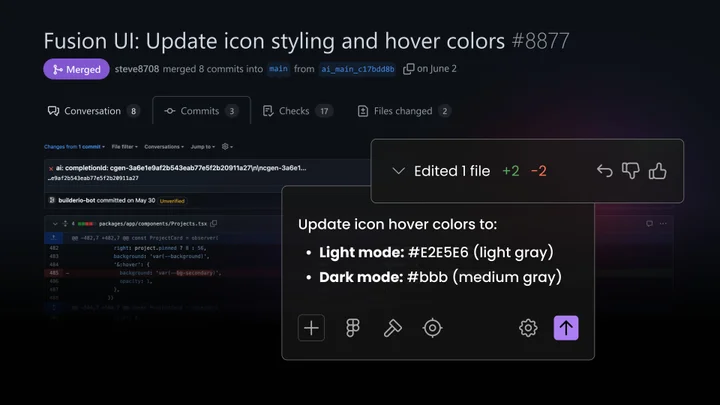
Designers use Fusion to update design tokens and maintain consistency across the codebase. Tiana updated color variables to match the Builder design system in Figma: "I can chat and say, change this variable to this color. Update the name from this to this and I can make it match with our design system in Figma without asking an engineer."
Team impact
- Faster iteration on user experience improvements. Designers can test and refine UI changes in real-time rather than waiting for development cycles.
- Eliminated design-engineering handoff friction. Visual tweaks and polish work happen directly without requiring engineering tickets or extensive documentation.
- Enhanced user experience through continuous polish. Small improvements compound over time to create more polished, professional user experiences.
- Improved design system maintenance. Designers can keep design systems current and consistent without depending on engineering availability.
Top tips from the Product Design team
- Start with familiar workflows. Build working versions of features to test concepts before creating detailed specifications. This reveals implementation challenges and opportunities earlier in the process.
- Use the Design tab when prompts fail. When natural language prompts don't achieve the desired result, switch to the visual design interface to make precise adjustments to styles and layouts.
- Collaborate with developers on complex features. While Fusion handles most design implementations, involve developers for backend integration or complex state management requirements.