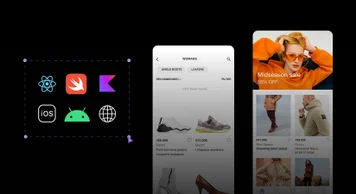
Native Mobile SDKs
Teams who code native apps in Swift, SwiftUI, and Kotlin now have the same drag-and-drop visual editing functionality as teams using the Builder platform to build for the web or with React Native. Learn more.
Teams who code native apps in Swift, SwiftUI, and Kotlin now have the same drag-and-drop visual editing functionality as teams using the Builder platform to build for the web or with React Native. Learn more.
Edit content in the Visual Editor faster. You can quickly insert new blocks, including text, different headings, columns, buttons, lists, and many more elements by typing slash, /, while inline editing content. Learn more.
Get started faster with Builder while leveraging best practices. Builder Devtools helps developers easily integrate Builder into a new or existing Next.js, Qwik, Remix, or Hydrogen web app and easily “register components” so anyone can drag and drop custom code components in the Builder Visual Editor. Learn more.
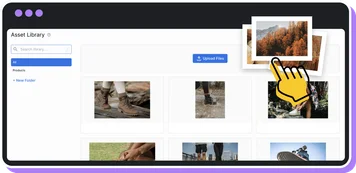
The new asset library supports all file types, lets you bulk upload files directly, and includes a cleaner user interface. Plus, file pickers in structured data models now launch the improved asset library instead of a file picker.
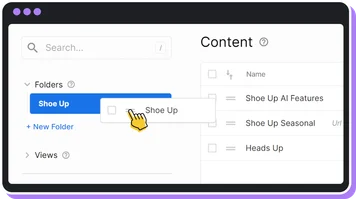
Find content more easily by creating and organizing folders in the Content area of the Builder UI. Learn more.
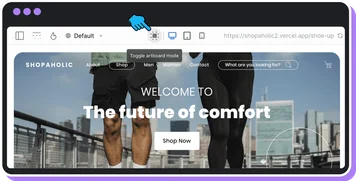
Navigate and get a better perspective on long pages by selecting “artboard mode” in the visual editor.
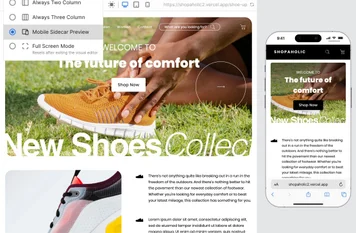
You can now preview how your page will look on mobile while you make changes to the desktop version. Learn how to enable the mobile sidecar view from the visual editor.
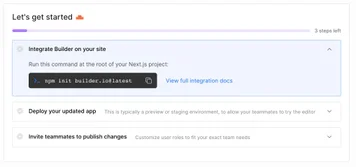
To make it easier to get started with Builder, we made a series of improvements to the onboarding flow for teams setting up new accounts on Builder. Improvements include:
- Updating the getting started checklist in-app
- Improved onboarding text to be more helpful
- Simplified onboarding steps and questions
- Added the Builder Playground to onboarding