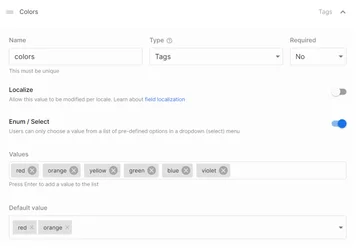
Limit multi-tag selection to specific values
You can now ensure consistency and help your team categorize content with multi-select enums in data models and custom component inputs.
You can now ensure consistency and help your team categorize content with multi-select enums in data models and custom component inputs.
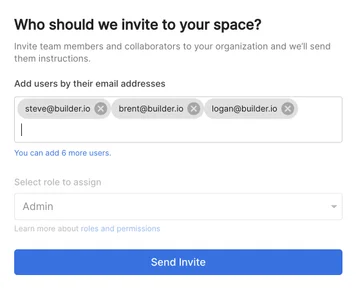
We moved the add users to a new tab in account settings, and now you can bulk-invite team members by entering multiple email addresses simultaneously.
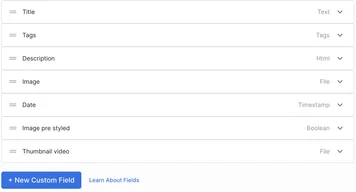
Tab between input fields from your keyboard
Added the ability to customize helper text for the “page URL” field in page models
Cleaned up UX for data model fields
Allow models to reference themselves
Removed auto-refresh for changes to the preview URL
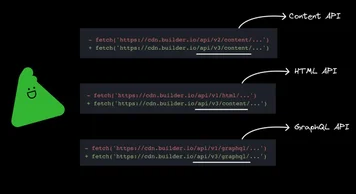
The new Content API is designed with a new worldwide infrastructure that provides fast response times, high availability, and quicker new feature releases. Learn more.
Type what you are looking for, and the AI will generate entire sections in the editor. For example, try asking the visual editor AI to "create a homepage hero section in the style of Nike." Learn more.
Describe the image you want, and the AI will generate images. For example, try describing the image as "A lifestyle image like from Everlane's homepage." Learn more.
Use the built-in ChatGPT integration to generate or edit text for any input. Try asking the AI text editor to create an SEO meta description, translate content, fix grammar, shorten text, or change tone. Learn more.
We're now collecting feedback from within the Visual Editor. Your feedback has already resulted in a streamlined UX for updating a content entry's local preview URL, a more seamless transition between environments, and adding "last activity time" to better understand when your users last used Builder. Keep the feedback coming!